Voice Over - Voice Changer: Mobile AI voice toolkit for Android creators
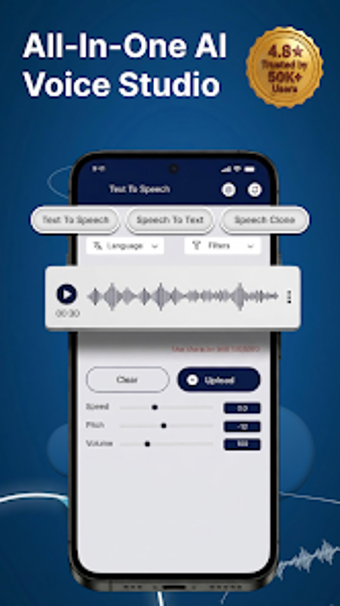
Voice Over - Voice Changer, developed by Codix Apps, positions itself as a mobile audio production tool that helps you create voice content on the go. You can produce narration, reproduce character tones, and refine recordings using an in-app toolset aimed at finishing publishable audio. The app's scope includes automated speech generation, cloned-voice output, and creative modulation alongside format conversion and social sharing. Content creators, influencers, and voice actors gain quick access to polished voice assets for videos and messaging.

Unlock your creativity with Adobe Stock
Get 10 images or 1 video with a free trial
What audio formats and conversions can you expect?
The app includes a Universal Audio Converter, so you can import and transform existing recordings before applying effects. That converter lets you change file formats and edit audio on-device, which supports workflows where you receive varied source material. Because the product is Android-native, it handles mobile file storage and offers direct sharing to social and messaging platforms, reducing the number of manual transfer steps.
How well does it fit a mobile production workflow?
The tool targets end-to-end mobile voice production, combining capture, edit, and export inside a single Android application. You can take a short audio sample, process it, and export final audio without switching devices, reflecting the developer's focus on multimedia utilities for Android. This on-device flow is useful when you need rapid turnaround for social clips or branded content and prefer a single app for the whole chain.
Does it meet professional output expectations for narration?
High-fidelity export is a stated priority, and the product is described as suitable for professional video narration and branding projects. User reception notes realistic AI-generated voices and studio-minded results, which supports using the tool for client-facing voiceovers and social media productions that demand cleaner audio than simple sound effects.
Is Voice Over better suited to professionals or casual creators?
The app sits between accessible tools and professional toolsets, addressing creators who want elevated voice results without moving to desktop suites. Its feature mix attracts voice actors and influencers, while the mobile form factor keeps entry friction low for social creators. The developer’s portfolio of multimedia utilities further indicates an emphasis on practical mobile capabilities rather than desktop integration.
A practical gateway for creators who need mobile voice production
Voice Over serves as a practical gateway for creators seeking stronger voice production on Android, backed by positive reception as a professional toolkit. Expect a mobile-first workflow and device-dependent performance, which makes it a sensible first step if you want to move from quick clips to more polished voice work without leaving your device.